 IncomeBox
Every currency. Every project. One simple money manager.
Track income and expenses, plan budgets and shared savings, and see a separate total for each currency you use, without exchange-rate guesswork.
Built around how people really handle money
Early testers (families, farmers, contractors) shaped three ideas you won't find in most expense trackers.
Separate totals per currency
₹, $, € and more each get their own balance, list and report. Nothing is converted behind your back.
How it works →Events, not just categories
A trip, a harvest or a building site is a project. Tag spending to it and see what it cost or earned.
See events →Group savings
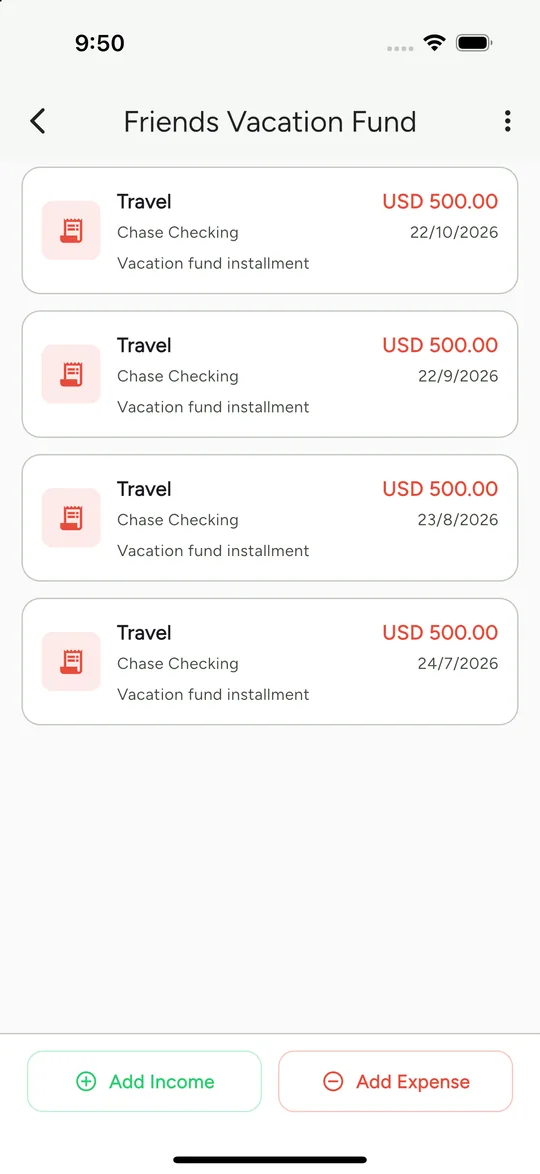
Save together for a trip, a chit or a shared goal, and track every contribution in one place.
Track group savings →All your accounts, grouped by currency
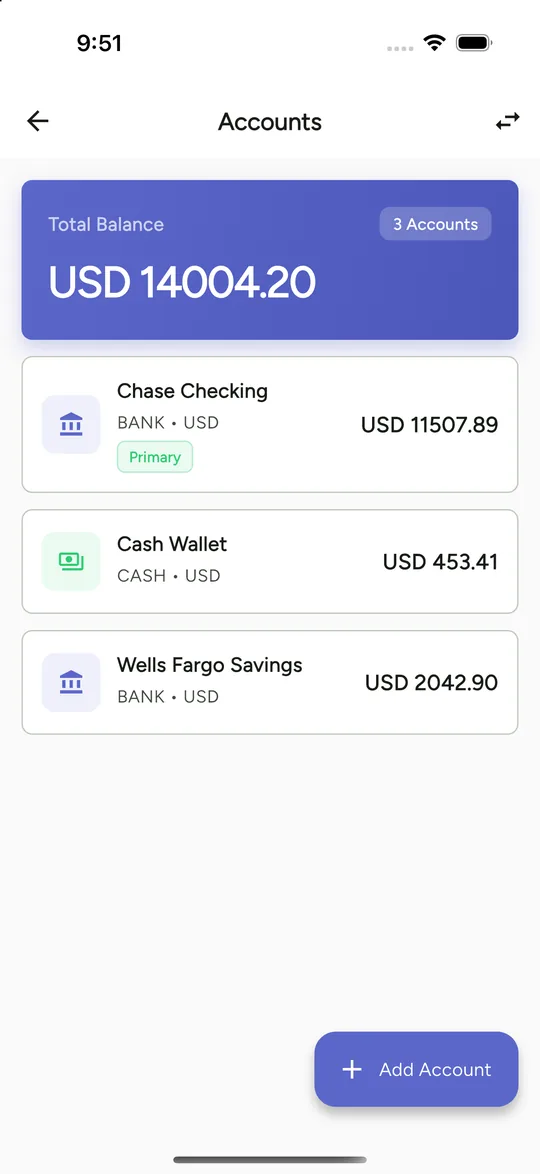
Banks, cash and wallets in one view. Add an account in a new currency and it gets its own group and its own total.
- Bank, cash, credit and wallet accounts
- Your primary account and currency come first
- Transfers between accounts, even across currencies
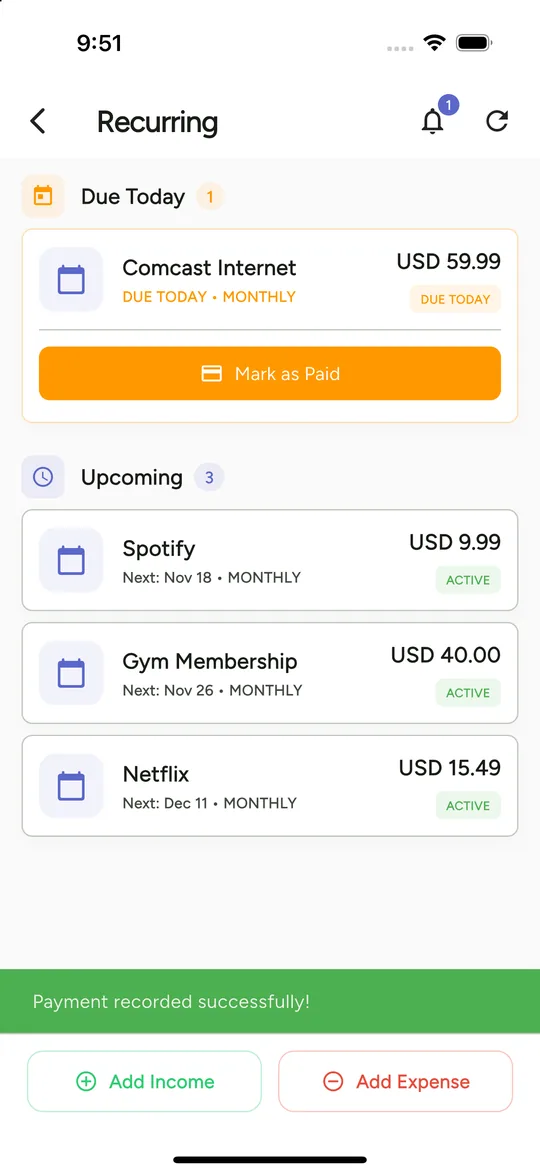
Budgets that tell you where you stand
Set an overall monthly budget or one per category and watch the progress bar fill up, with the amount left to spend.
- Overall and per-category budgets
- Each budget counts only spending in its own currency
- Daily reminders to keep you on track
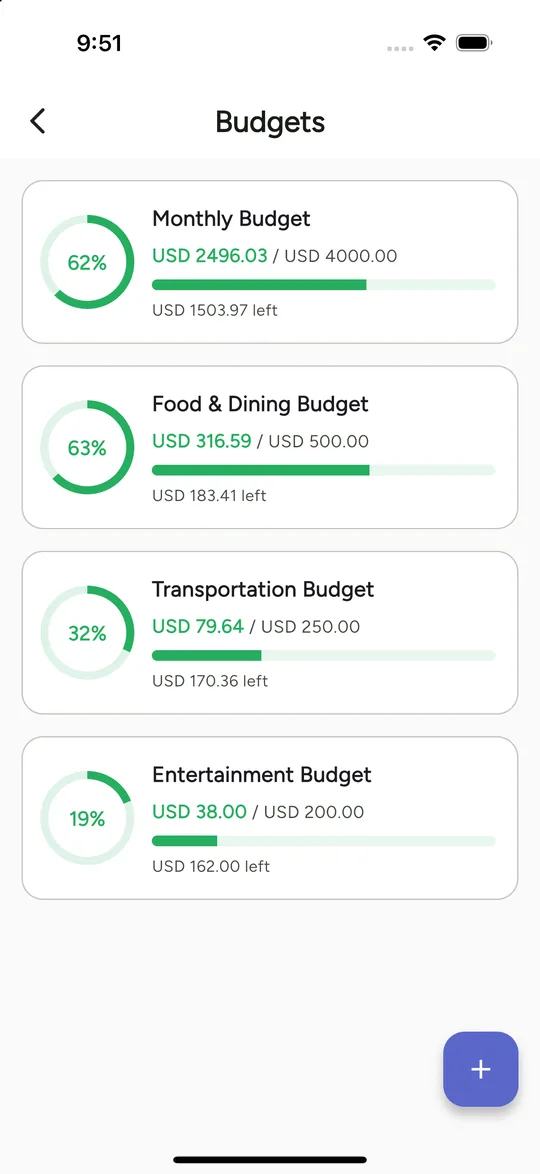
See where the money goes, then dig into it
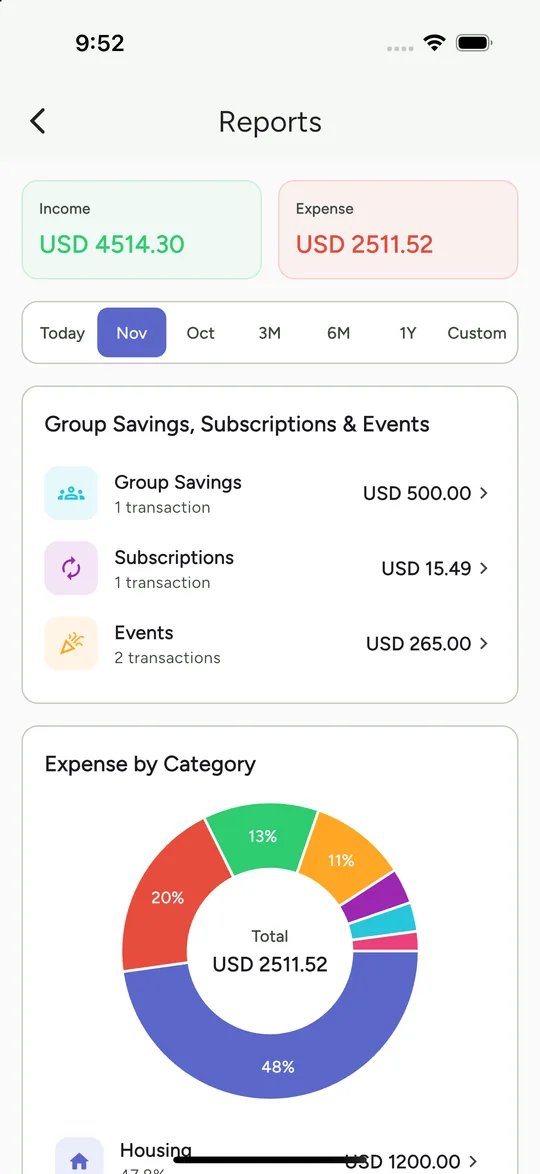
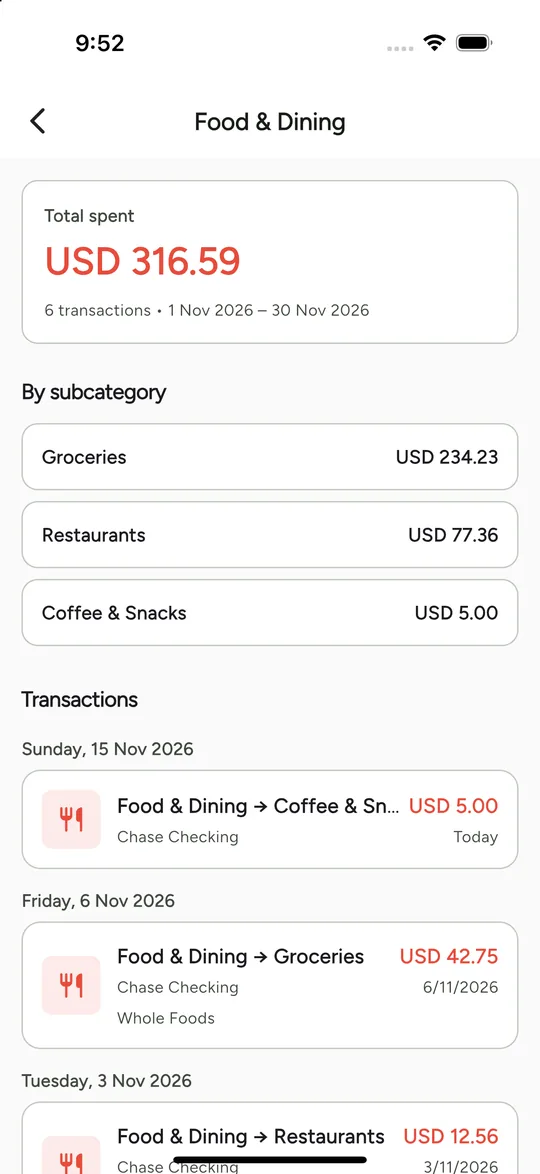
Spending and income by category for any period. Tap a category to see its subcategories, then tap again to see the exact transactions.
- Donut charts by category
- Day, month, 3 months, 6 months, year or custom range
- Group savings, subscriptions and events in one summary
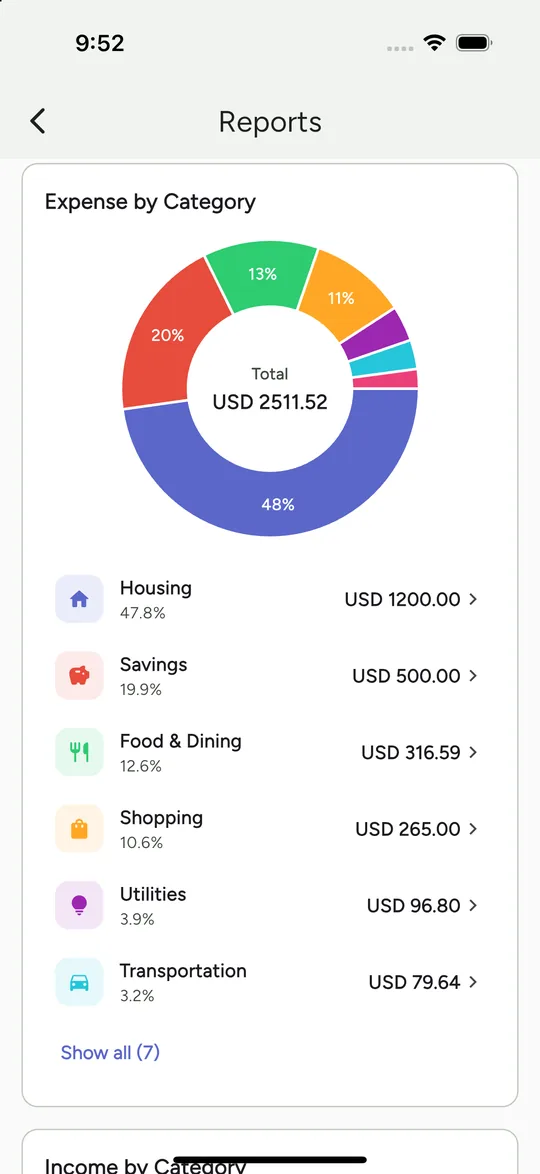
Track a whole project from start to finish
Create an event for a trip, a home renovation, a harvest season or a worksite. Every expense you tag shows up in one place with a running total.
- Start and end dates, active or completed
- Works with any category you already use
- Edit, finish or delete an event without losing transactions
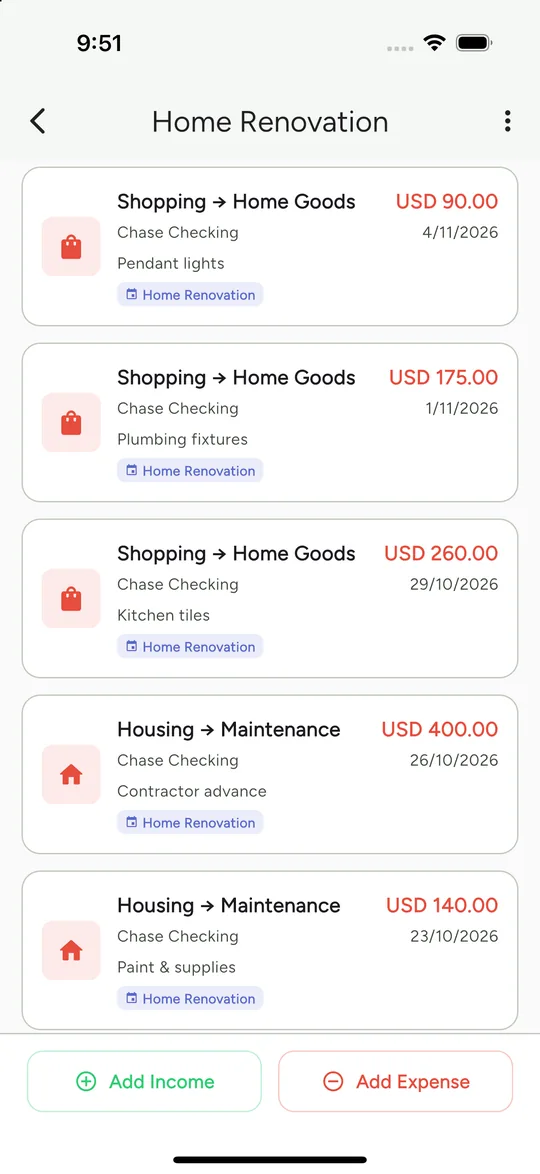
Never miss a bill or subscription
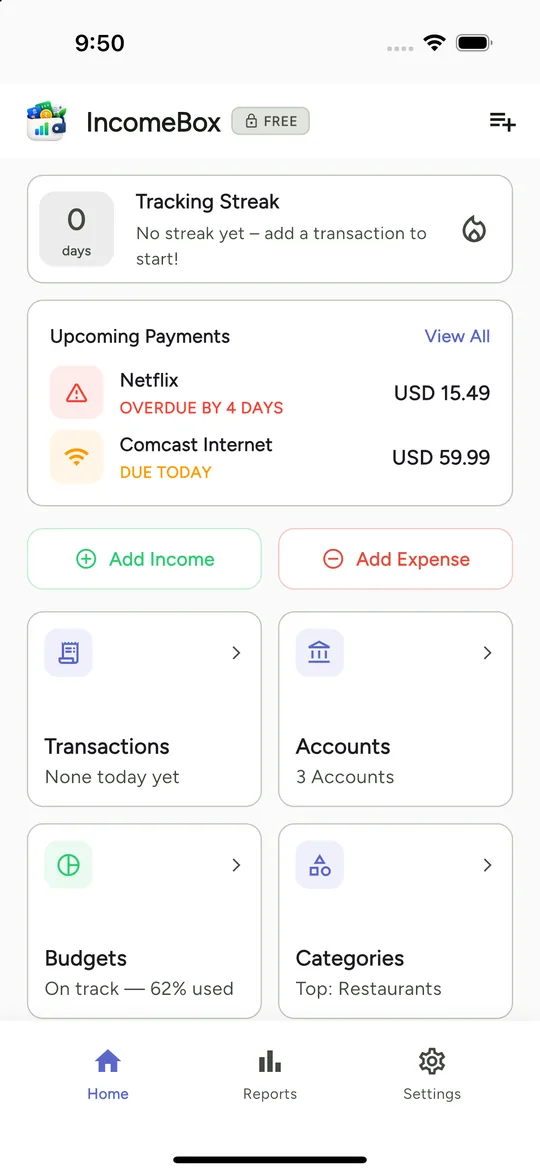
Keep track of rent, internet, streaming and gym fees. See what is due today and what is coming up, and mark it paid in one tap.
- Due-today and upcoming views
- Reminder notifications on your device
- Payments recorded straight into your accounts
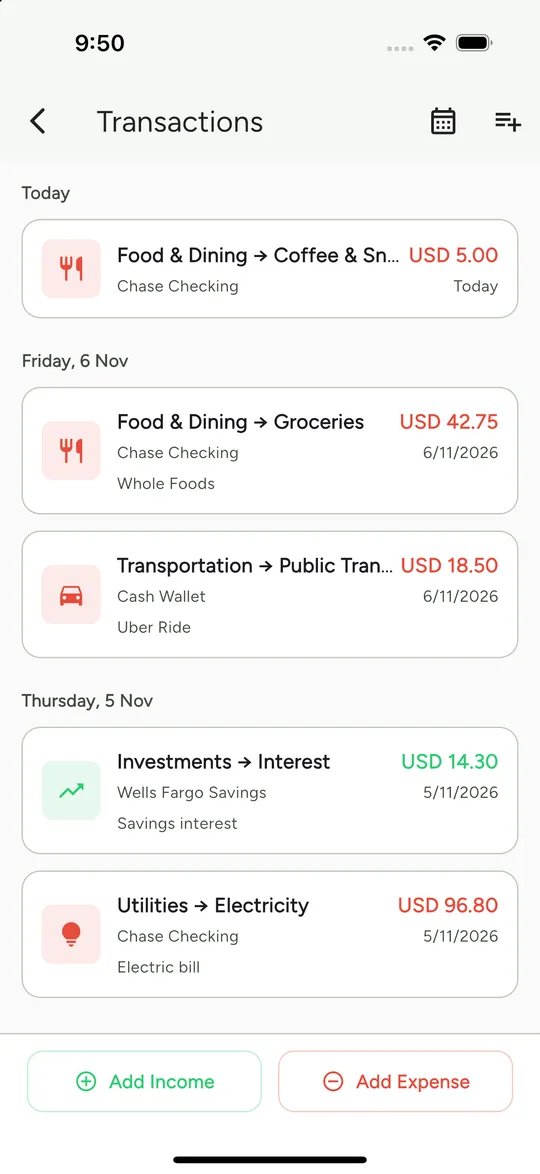
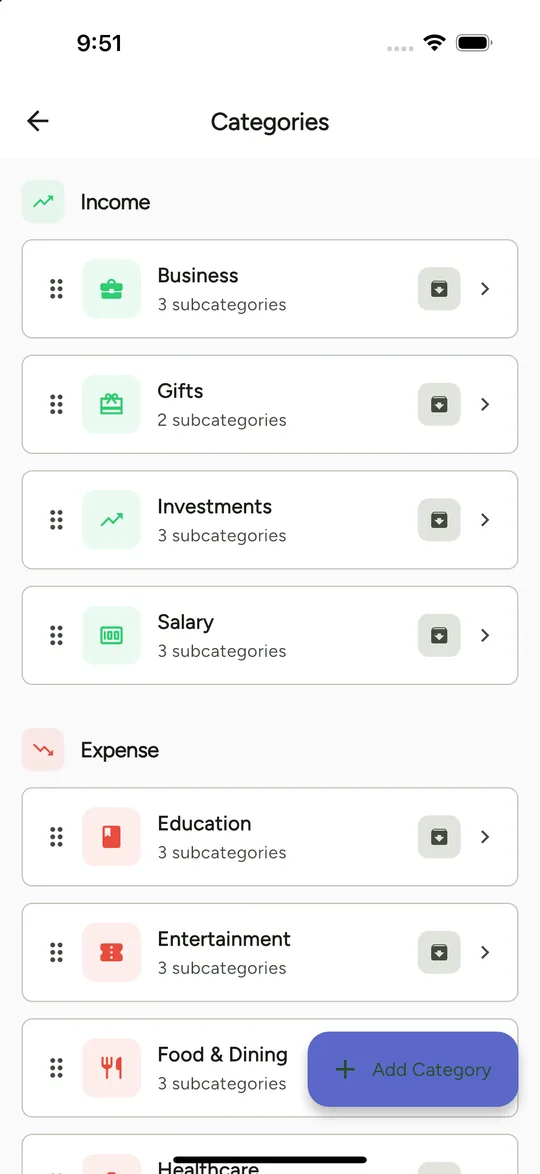
A quick tour of IncomeBox
Who uses IncomeBox
Families
One clear picture of household spending, budgets and bills.
Family budgeting →Farmers
Track a harvest like “Sugarcane 2026” from seed cost to sale.
Farm expense tracking →Contractors
Keep each site’s costs and payments apart.
Site expense tracking →Travellers
Trip budgets across currencies without conversion headaches.
Trip expenses →Expats & global earners
Income and spending in more than one currency, kept clean.
Multi-currency →Friends & groups
Shared savings and contributions, tracked fairly.
Group savings →Free to start. Upgrade only if you want to.
Free
The full app with generous limits, so you can see if it fits you.
- Accounts, transactions, budgets, goals
- Events and group savings
- Reports and exports
- Occasional ads
Pro
Remove the ads and the limits. Choose a yearly plan or pay once.
- No ads
- Higher limits across the app
- Yearly plan or one-time lifetime purchase
- Supports an independent developer
Common questions
Is IncomeBox free?
Yes. IncomeBox is free to start with generous limits and occasional ads. Pro removes the ads and lifts the limits, as a yearly plan or a one-time lifetime purchase.
Does IncomeBox convert between currencies?
No, on purpose. Each account, report and budget keeps its own currency, so you see a separate total for every currency instead of one blended number built on a rate that may be wrong. When you transfer between accounts in different currencies, you enter the amount sent and the amount received.
Where is my financial data stored?
Your accounts, transactions, budgets and everything else are stored locally on your device in a private database. We do not run a server that stores your financial records.
Do I need to create an account?
No. You can use IncomeBox as a guest. Signing in with Google or Apple is optional and is only used to enable cloud backup.
Can I back up my data?
Yes. You can optionally back up to your own Google Drive (private app folder) or iCloud, and restore it later or on a new phone. We cannot see these backups.
Can I export my data?
Yes. You can export your transactions as CSV, Excel or PDF from inside the app.
Take control of your money, in any currency
Free to start. Your data stays on your device.